Desktop Power Adapter vs Wall Charger: How to Choose the Right Form Factor for Your Application
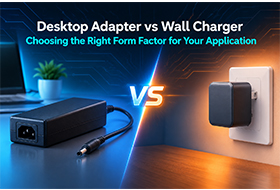
Desktop Power Adapter vs Wall Charger: OEM Form Factor Selection Guide
The decision between a desktop power adapter and a wall charger is often made on instinct — "this product uses a brick, that one uses a plug-in charger." But for OEM product design and B2B procurement, the form factor choice has direct consequences on thermal performance, power capacity ceiling, regulatory pathway, end-user experience, and unit cost structure.
Getting this decision right at the design stage avoids expensive engineering changes, user complaints, and certification complications later. This guide covers the engineering and commercial differences between the two form factors so you can specify the right one from the start.
Defining the Two Form Factors
Before comparing, it is worth being precise about what each term means — because the terminology is inconsistently used across the industry.
Desktop Power Adapter (also: power brick, tabletop adapter, external power supply) A power conversion unit housed in a separate enclosure, connected to the AC wall outlet via a detachable AC power cord (IEC 60320 C7/C8 or C13/C14 inlet) and to the device via a DC output cable. Sits on the desk or floor — not directly plugged into the wall outlet. Dimensions typically range from 100mm × 50mm × 30mm (low-power desktop) to 200mm × 100mm × 60mm (high-power desktop adapters above 150W).
Wall Charger / Wall Adapter (also: plug-in adapter, direct plug charger) A compact unit that plugs directly into the AC wall outlet, with the AC blades integrated into the unit body. The device connects via a fixed output cable or USB output port. No separate AC cord. Wall chargers are inherently limited in physical size by the constraints of the outlet footprint and mechanical stress on the wall socket.
Both convert AC mains input to regulated DC output. The form factor differences that follow from this physical distinction are significant.
Dimension 1 — Power Capacity
This is the most decisive differentiator for most applications.
Wall chargers are physically constrained by their size. A wall charger plugged directly into a standard outlet can only grow so large before the mechanical load on the socket becomes unacceptable (typically 300–400g maximum before socket damage risk) and the unit physically obstructs adjacent outlets on a power strip.
Practical power ceiling for wall chargers:
- Standard single-port wall charger: 5W–30W
- Multi-port wall charger (USB-A + USB-C): 18W–65W
- High-power GaN wall charger (single outlet footprint): 65W–140W (GaN technology enables higher power density, but thermal limits still apply)
- Dual-outlet GaN wall charger (blocking both sockets): up to 200W in premium products
Desktop power adapters have no such mechanical constraint. The output power range spans:
- Small desktop adapter: 12W–45W
- Mid-range desktop: 45W–120W
- High-power desktop: 120W–300W
- Industrial desktop adapter: up to 500W+
Selection rule: If your application requires more than 65W from a single power source, a desktop adapter is almost always the correct choice. Above 100W, a desktop adapter is the only practical option for external power supply form factor.
Dimension 2 — Thermal Management
Thermal management is the engineering challenge that most constrains wall charger design — and it is rarely discussed in product specifications.
Wall Charger Thermal Constraints
A wall charger plugged into a wall outlet has no airflow beneath or behind it. The unit generates heat, and that heat must be dissipated through convection from the exposed surfaces only. At higher power levels, this creates several problems:
- Surface temperature: A wall charger operating at sustained high load can reach surface temperatures that feel uncomfortably hot to the touch (>50°C). IEC 62368-1 limits accessible surface temperatures — 48°C for surfaces intended to be touched during normal use, 58°C for metal surfaces. High-power wall chargers operating near their limits may approach or exceed these thresholds in high-ambient-temperature environments.
- Thermal derating: Quality wall chargers automatically reduce output power when internal temperature exceeds a threshold. This means a 65W wall charger in a 35°C room may deliver only 55W continuously — which may or may not be adequate for your application.
- Internal component stress: Sustained high temperature accelerates electrolytic capacitor degradation and reduces MTBF. Wall chargers operated continuously at high load in warm environments have shorter service lives than the same power delivered from a desktop adapter with better thermal management.
Desktop Adapter Thermal Advantages
A desktop adapter sits horizontally (or can be positioned for optimal airflow), is not thermally constrained by an outlet footprint, and can use a larger PCB with more distributed heat dissipation. High-power desktop adapters (above 150W) often include a small internal fan or are designed with conduction cooling through the housing.
Result: A 65W desktop adapter and a 65W wall charger may have identical specifications on paper, but the desktop adapter typically runs cooler, has lower surface temperature, and has better service life in continuous-use applications.
Selection rule: For applications with sustained high-load duty cycles (point-of-sale terminals that charge all day, always-on embedded systems, retail kiosks), desktop adapters provide better thermal performance and longer service life even at the same rated power.
Dimension 3 — Regulatory and Certification Pathway
Both form factors require safety certification for the markets they are sold in. The certification requirements are similar — but the practical considerations differ.
Blade Configuration and Market Complexity
Wall chargers must physically plug into local wall outlets. This means the AC blade configuration must match the destination market:
| Market | Plug Type | Notes |
|---|---|---|
| North America (US/CA) | Type A (2-pin) / Type B (3-pin) | NEMA 1-15 / 5-15 |
| UK / Ireland | Type G | BS 1363, 3-pin |
| EU (most countries) | Type C / Type E or F | Schuko (E/F) standard |
| Australia / NZ | Type I | AS/NZS 3112 |
| China | Type A / Type I | GB 2099 |
| Japan | Type A | JIS C 8303, 125V max |
A global product line using wall chargers requires separate SKUs for each market's plug configuration — or a universal adapter body with swappable blade modules. This adds SKU complexity, minimum order quantity fragmentation, and inventory management overhead.
Desktop adapters use a standard IEC 60320 AC inlet (C7/C8 for low-power, C13/C14 for higher power). The AC power cord — sold separately or supplied in the box — matches the local market. The adapter itself is universal, reducing SKU count and enabling worldwide inventory pooling.
Certification Cost Structure
Both form factors require CE (EU), FCC (US), and other market-specific certifications. For wall chargers:
- Each blade configuration must be certified separately for markets where the plug type is part of the safety evaluation (e.g., UK's BS 1363 requires plug-specific testing)
- Swappable blade wall chargers require certification for the full assembly including each blade module
For desktop adapters:
- One adapter design + market-specific power cords
- The adapter itself is certified once (for the IEC 60320 inlet configuration)
- Power cords are separately certified country-by-country (standard, low-cost components)
Selection rule: For multi-market deployment, desktop adapters have a significantly lower certification management overhead and enable simpler global inventory strategy.
Dimension 4 — Cable Management and User Experience
Wall Charger User Experience
Advantages:
- No AC cord to manage — plugs directly into wall
- Compact and portable — minimal packaging volume
- Consumer-friendly — familiar form factor for personal devices
- Eliminates one cable from the total product bundle
Disadvantages:
- Blocks adjacent outlets on power strips (especially for wide-body wall chargers)
- Hangs from the wall — mechanical stress on socket, risk of the unit sagging or falling
- Limited cable reach — the DC cable length is fixed; if the outlet is not near the device, extension is needed
- Can feel unstable with heavy devices pulling on the cable
Desktop Adapter User Experience
Advantages:
- Sits on desk or floor — stable, no socket stress
- AC cord provides positioning flexibility — outlet location is independent of adapter placement
- Better suited for always-on installations (desk setup, retail fixture, kiosk)
- Cable organization options: the AC cord and DC cable can be managed separately with cable ties or channels
Disadvantages:
- Two cables (AC cord + DC output cable) instead of one direct plug
- More packaging volume — larger product box
- Less portable — not convenient for travel use cases
Selection rule: For consumer personal devices (phone chargers, earphone cases, wearables), wall chargers win on portability and simplicity. For commercial and professional installations (POS terminals, digital signage, kiosks, professional audio/video equipment, lab instruments), desktop adapters provide better stability and cable management.
Dimension 5 — Customization and OEM Flexibility
For OEM buyers, the ability to customize form factor, output specifications, connector type, labeling, and packaging is often a key procurement criterion.
Wall Charger Customization Options
- Output connector: Fixed cable with barrel jack, USB-A, USB-C, or proprietary connector
- Cable length: Typically 1.0m–1.8m standard; longer cables affect certifications
- Output power: Adjustable within platform range (e.g., 5V/3A, 9V/2A, 12V/1.5A via USB PD)
- Housing color and branding: Label printing and housing color typically available at MOQ 500–1,000 pcs
- Swappable blades: Some platforms support interchangeable blades for multi-market deployment
- Limitations: Physical size is heavily constrained; adding features (e.g., second output port) at high power levels is difficult due to thermal budget
Desktop Adapter Customization Options
- Output voltage and current: Highly flexible across the platform power range; custom voltage (e.g., 24V, 36V, 48V) available with longer lead times
- Output connector: Barrel jack (5.5/2.5mm, 5.5/2.1mm, 4.0/1.7mm, XLR, aviation connector) or custom per customer spec
- Cable length: DC output cable length adjustable; longer cables practical for desktop form factor
- Housing color, labeling, and packaging: OEM branding available at standard MOQ (typically 500 pcs for standard products, 1,000–2,000 pcs for custom configuration)
- AC inlet type: C7/C8 (figure-8, non-polarized) or C13/C14 (IEC standard) depending on power level
- Safety features: Overvoltage protection (OVP), overcurrent protection (OCP), short circuit protection (SCP), and overtemperature protection (OTP) — all standard on quality desktop adapters
- Enclosure options: Standard plastic, metal housing (for industrial applications), DIN rail bracket (for control cabinet installation)
Selection rule: For products requiring custom output voltage outside the standard 5V/9V/12V/15V/20V USB PD ladder, or output connectors other than USB, desktop adapters offer substantially more customization flexibility.
Dimension 6 — Cost Structure
At equivalent power levels, wall chargers and desktop adapters have different cost structures — and the comparison is not as straightforward as "wall chargers are cheaper."
| Cost Factor | Wall Charger | Desktop Adapter |
|---|---|---|
| Unit manufacturing cost (same power) | Lower at low power (<30W) | Lower at high power (>65W) |
| Blade tooling cost | Per-market blade tooling required | None (standard IEC inlet) |
| Certification cost | Per-blade-configuration | One-time for adapter |
| Packaging cost | Smaller box, lower material cost | Larger box, higher material cost |
| Inventory complexity | Multiple SKUs per market | Single SKU, local cords |
| Freight cost | Lower volume/weight | Higher volume/weight |
| AC power cord cost | Included in unit | Separate BOM item |
Total landed cost at scale: For global product lines above 30W, desktop adapters are frequently lower total cost when certification, inventory management, and per-market SKU overhead are included.
Application Matrix: Which Form Factor Wins
| Application | Recommended Form Factor | Reason |
|---|---|---|
| Smartphone / personal device charger | Wall charger | Portability, consumer UX, low power |
| Laptop power supply (<65W GaN) | Wall charger (GaN) | Power density, travel convenience |
| Laptop power supply (>65W) | Desktop adapter | Thermal management, stability |
| POS terminal / payment device | Desktop adapter | Continuous use, cable management |
| Digital signage / kiosk | Desktop adapter | Always-on, >30W, industrial UX |
| Medical device (bedside) | Desktop adapter | IEC 60601 available, thermal, stability |
| Laboratory instrument | Desktop adapter | Custom voltage, stability, long cable |
| Industrial embedded system | Desktop adapter | Wide temperature, IP options |
| Retail product bundle (<30W) | Wall charger | Consumer UX, packaging cost |
| Hotel / hospitality amenity | Wall charger or desktop | Depends on placement — wall for nightstand, desktop for desk |
| Wireless charging pad (15W–30W) | Desktop adapter | Stable platform, heat dissipation |
| Professional audio equipment | Desktop adapter | Low-noise output, stable voltage |
| EV charging controller (<100W) | Desktop adapter | Power level, certification pathway |
The Hybrid Option: Wall-Mountable Desktop Adapters
A third form factor is worth mentioning: wall-mountable desktop adapters — units designed to be secured to a wall or surface via a mounting bracket, with a standard IEC inlet. These are common in commercial installations where a desktop unit needs to be fixed in place (underneath a desk, inside a cabinet, on a wall panel).
Wall-mountable desktop adapters provide:
- Desktop adapter power capacity and thermal performance
- Fixed installation — no cord management on the floor
- DIN rail bracket compatibility for control cabinet mounting
- Cable tray integration options for commercial fit-out
For commercial installations (retail, hospitality, office), wall-mountable desktop adapters are often the optimal choice: desktop adapter thermal and power performance, with the clean cable management of a fixed installation.
OEM Decision Checklist
Work through these questions to determine the correct form factor for your application:
Power:
- What is the maximum continuous power draw of my device? (If >65W → desktop adapter)
- Is power draw sustained or intermittent? (Sustained high duty cycle → desktop adapter for thermal reasons)
Markets:
- How many global markets will this product be sold in? (Multiple markets with different sockets → desktop adapter for SKU simplicity)
- Is the product portable (travel use)? (Yes → wall charger for compactness)
Installation:
- Will the device be permanently installed (POS, kiosk, signage)? (Yes → desktop adapter)
- Will the device be moved frequently by end users? (Yes → wall charger)
Customization:
- Does my output voltage differ from standard USB PD voltages (5/9/12/15/20V)? (Yes → desktop adapter)
- Do I need a custom output connector? (Non-USB → desktop adapter)
User experience:
- Is my end user a consumer expecting a simple plug-in experience? (Yes → wall charger)
- Is my end user a professional in a commercial environment? (Yes → desktop adapter)
Shenzhen LvXiangYuan Technology Co., Ltd. manufactures both desktop power adapters and wall chargers for OEM customers across consumer electronics, commercial equipment, medical devices, and industrial applications. Our desktop power adapter range covers 12W to 300W with customizable output voltage, connector type, and housing configuration.
For multi-market deployments, we can supply matched desktop adapters with market-specific IEC power cords — reducing your certification overhead and enabling global inventory pooling with a single adapter SKU.
👉 View Our Desktop Power Adapter Range 👉 Read: Industrial Power Adapter Selection Guide 👉 Read: OEM Power Adapter Buyer's Checklist 👉 Read: How to Choose the Right Charger Wattage 👉 Contact Our Team to Discuss Your Power Adapter SpecificationFrequently Asked Questions
Contact Information:
Contact: Anita
Email:wm1@hechobo.com
Mobile:0086-14775542090
LvXiangYuan Technology — Professional Power Adapter Solutions Since 2009 | www.hechobo.com
Power Adapter for Medical Devices: IEC 60601-1 Requirements, Leakage Current, and What OEM Engineers Need to Know